
Discover the best AI tools for small businesses to streamline operations, enhance productivity, and drive growth with smart automation solutions.
If you’re here, chances are you’re spending way too much time on tasks that could be done faster and easier. How else to solve that problem than with the help of AI tools?
Keep reading and discover the 8 best AI tools for small businesses to boost your operations divided into three categories. Let’s start!
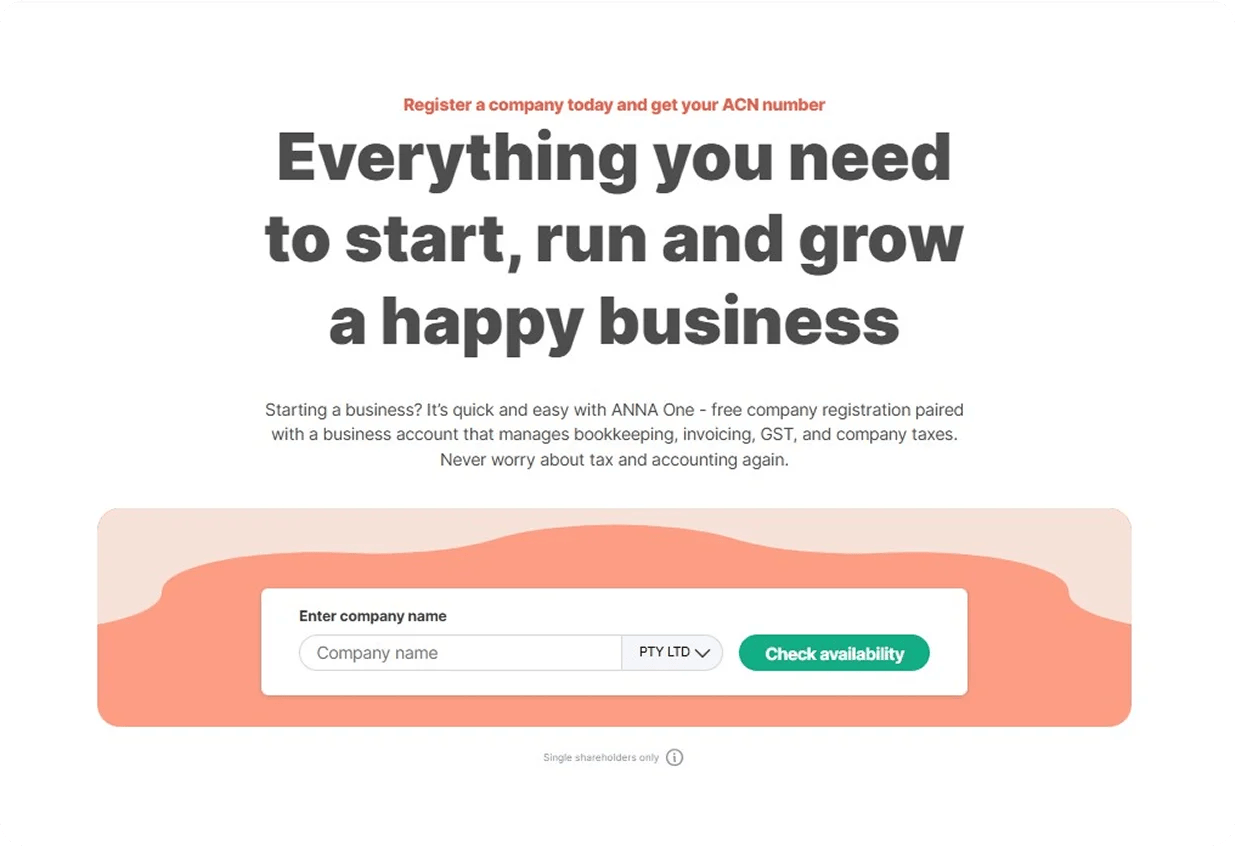
ANNA is an all-in-one business tool that can handle your bookkeeping, taxes, spending, invoicing, and other financial management tasks. It can help you with starting your business as well as managing it.
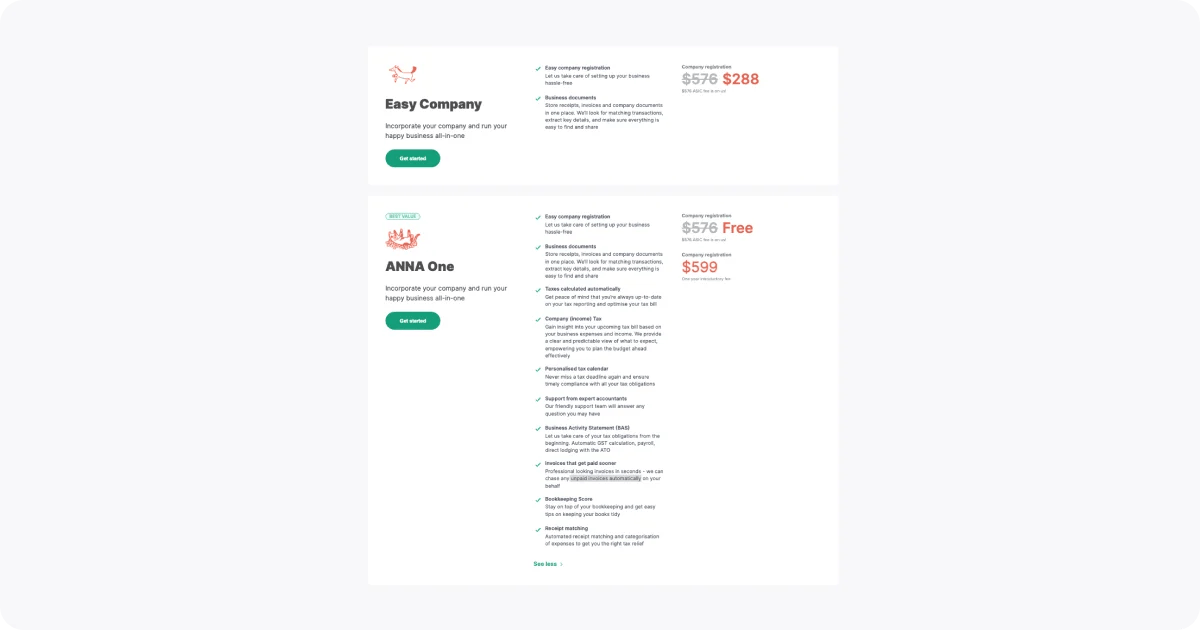
⭐ Company Registration - Easily register your company for $599, which is also a one-year introductory fee.
⭐ Business Documents - Keep all paperwork, invoices, and receipts in one location. We'll search for transactions that match, extract important information, and ensure that everything is simple to locate and share.
⭐ Tax Calendar - Make sure you fulfil all of your tax duties on time and never miss another tax deadline.
⭐ Bookkeeping Score - Keep your books organised and stay on top of your bookkeeping with simple strategies.
⭐ Receipt Matching - Get tax relief by automated receipt matching and spending categorisation.
⭐ Company (income) Tax - Learn how your business's income and expenses will affect your next tax bill. We give you a clear and reliable picture of what to expect, enabling you to efficiently manage the budget in advance.
⭐ Business Activity Statement (BAS) - Get your tax responsibilities handled right away. Payroll, direct submission to the ATO, and automatic GST computation.
⭐ Invoices - Automatically get a clear overview of unpaid invoices.
⭐ Business Accounts - Connect your bank accounts, register your expenses, arrange your money, and get an ANNA debit card, Apple Pay, Google Pay, and expense cards for employees to use immediately. Who Is It Best For?
💡 Freelancers and Sole Traders
Why?
💡 Small Business Owners
Why?
💡 Startups and Side Hustlers
Why?
💡 Creatives and Consultants
Why?
You can choose between two packages:
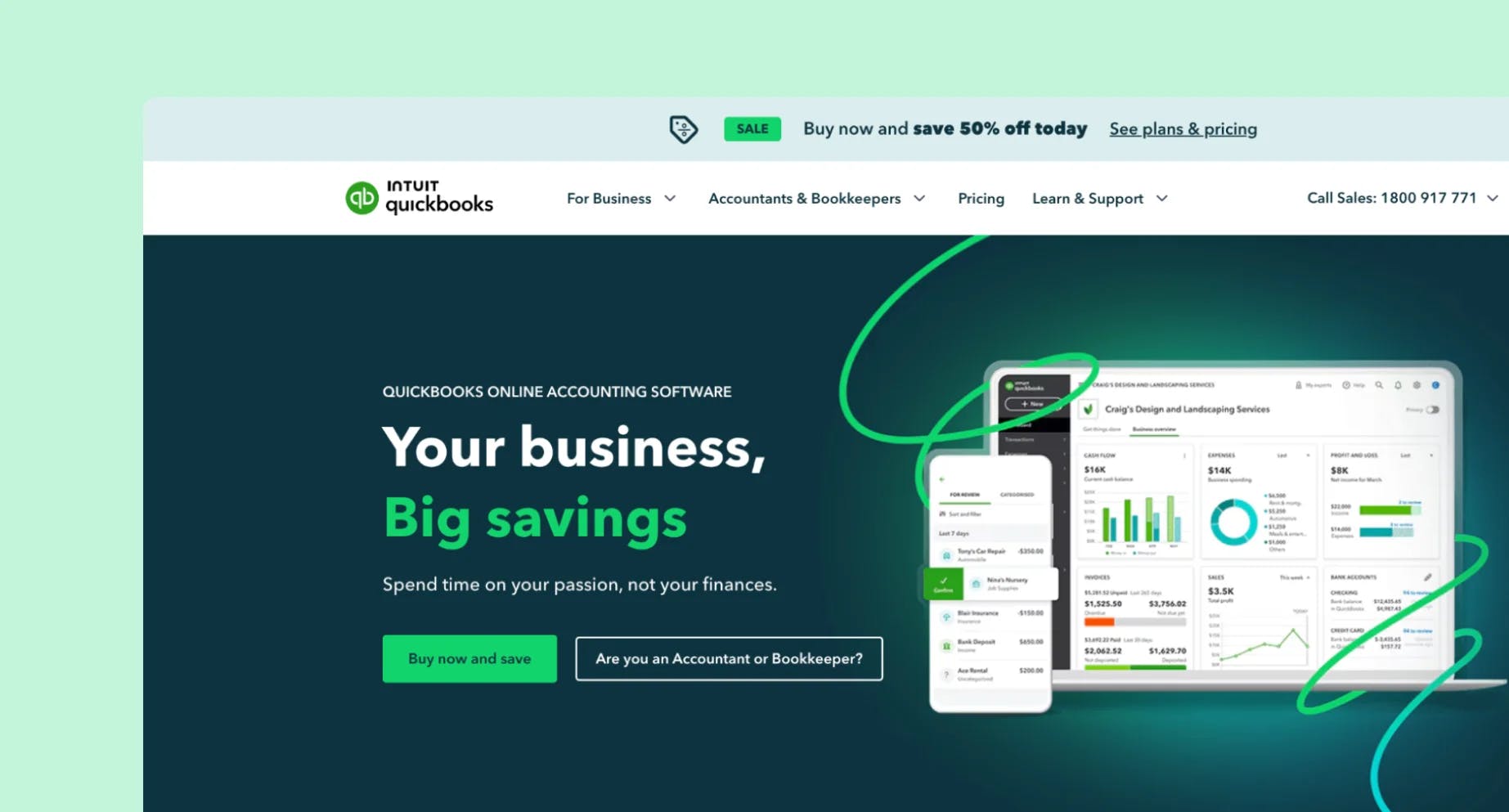
Intuit QuickBooks is an accounting AI tool made to help small and medium-sized businesses manage their finances more efficiently. It provides a number of services that streamline and automate processes like payroll, tax compliance, cost management, and invoicing.
QuickBooks is another great option for a complete financial management application if you have staff and need advanced payroll management features.
⭐ Auto-track - Connect your bank accounts to QuickBooks and let it automatically track your income and expenses.
⭐ Invoices - Send professional, custom-branded invoices and add a 'Pay now' button so customers can pay instantly via card or PayPal.
⭐ Cash Flow Planner - Receive real-time balances and personalised cash flow advice from linked credit card and bank accounts.
⭐ GST & e-lodge BAS - Track incoming and outgoing GST automatically and produce reports that are ready to be lodged when taxes are due. You can send your BAS straight from QuickBooks to the ATO thanks to the built-in e-lodgment.
⭐ Insights and reports - Run and export important reports, such as balance sheets and profit and loss statements. To keep track of your earnings and expenses, use custom tags. For easier cooperation, you can quickly send your accountant a summary of your books.
⭐ Track kilometres - Use the GPS on your phone to automatically track kilometres.
Sort travel into personal and business categories and manually add trips.
💡 Small to Medium Business Owners
Why?
💡 Startups and Growing Teams
Why?
💡 Service-Based Professionals (consultants, creatives, tradies)
Why?
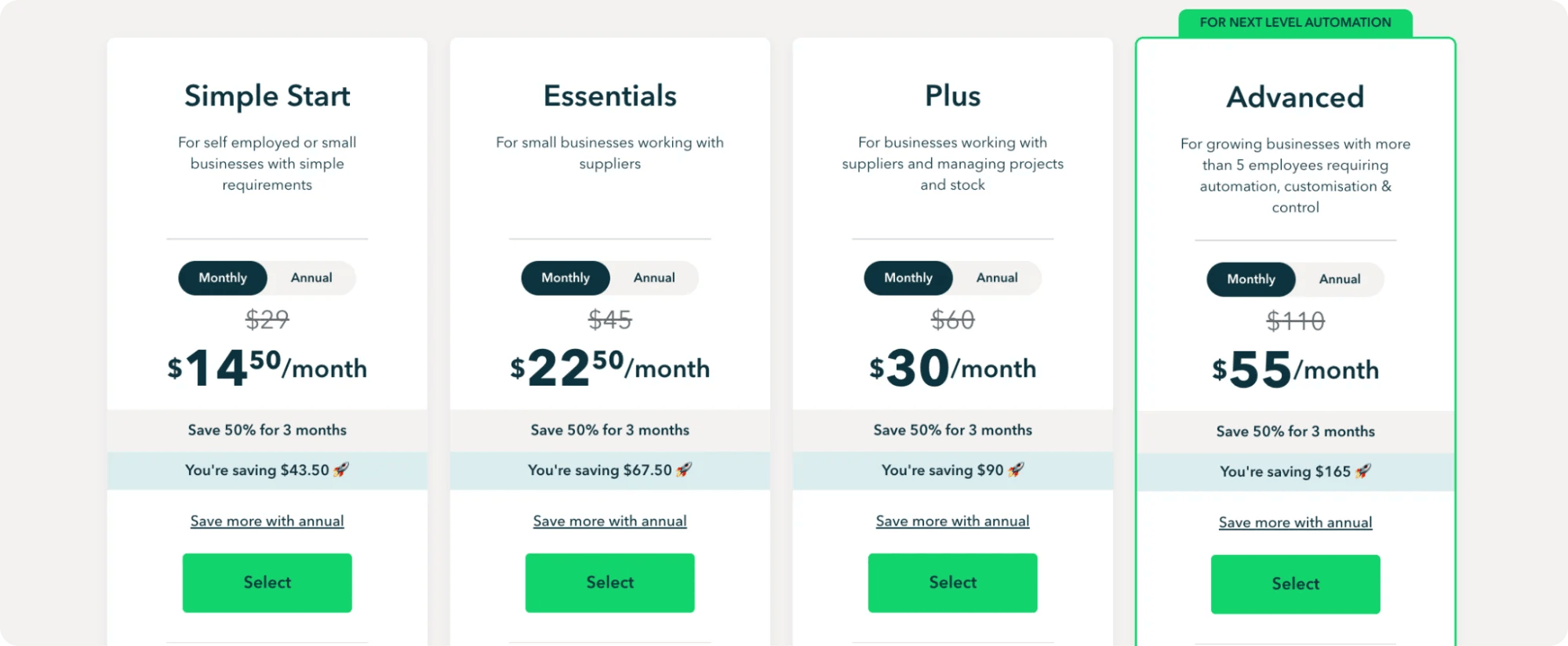
Choose between four paid tiers, starting from USD 29.
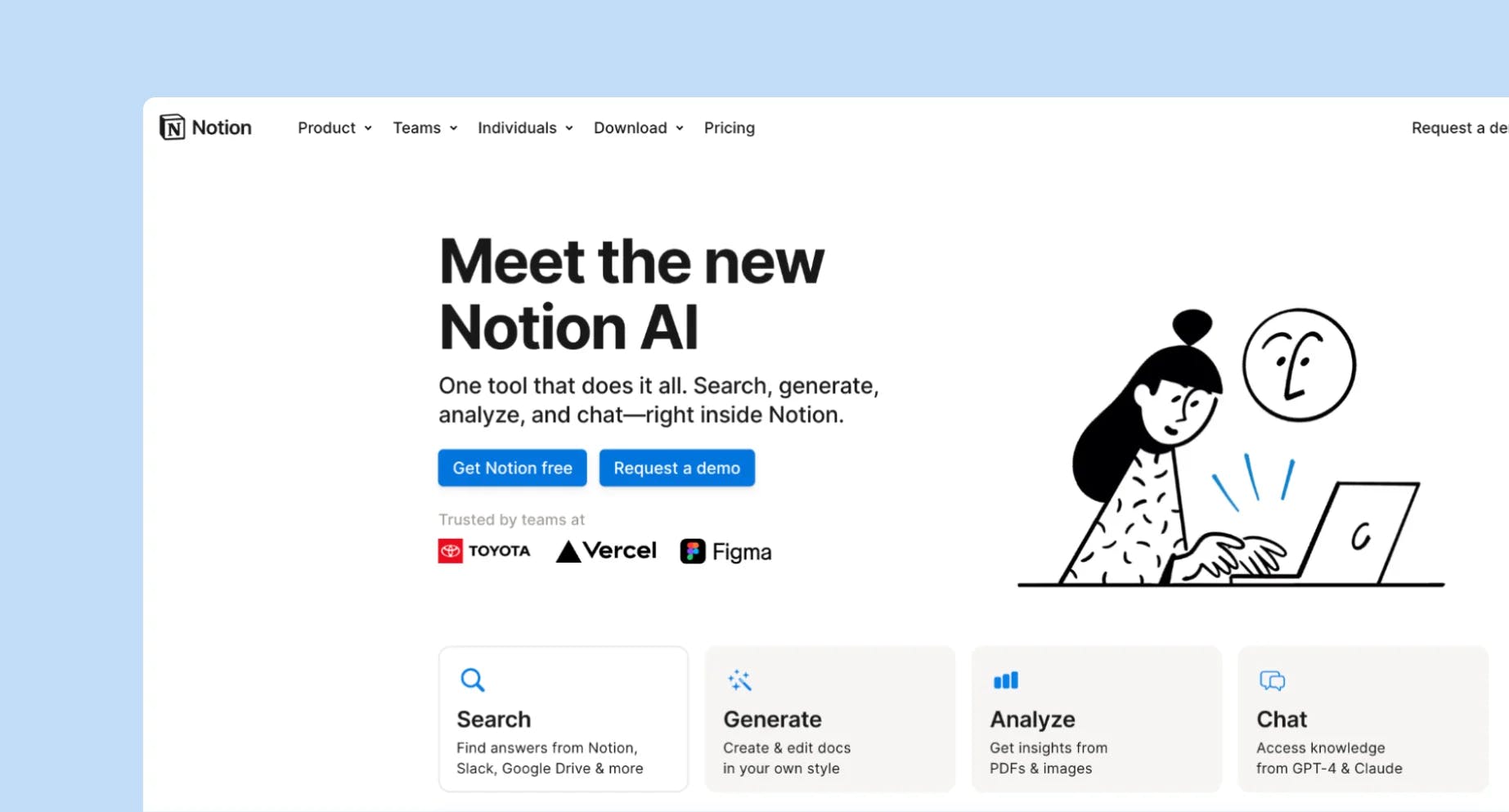
Notion AI is an AI assistant that helps with productivity tasks including writing, brainstorming, editing, and summarising.
⭐ Task Automation - Automates repetitive tasks such as finding action items and transcribing meeting notes. Provides timetables and process suggestions to help with project planning.
⭐ Data Analysis - Combines data from several sources to create summaries.
⭐ Translation - Converts text to multiple languages.
⭐ Collaboration - Allows for real-time collaborative editing.
⭐ Knowledge Management - Arranges information into a searchable knowledge base.
⭐ Integration - Allows for easy integration with Google Workspace and Slack, and provides API access for personalised automation.
⭐ Summarisation - Summarise lengthy documents or meeting notes into key points and action items for easy reference.
💡 Writers, Creators & Content Teams
Why?
💡 Students & Researchers
Why?
💡 Startups
Why?
💡 Project Managers
Why?
💡 Educators
Why?
💡 Remote & Cross-Functional Teams
Why?
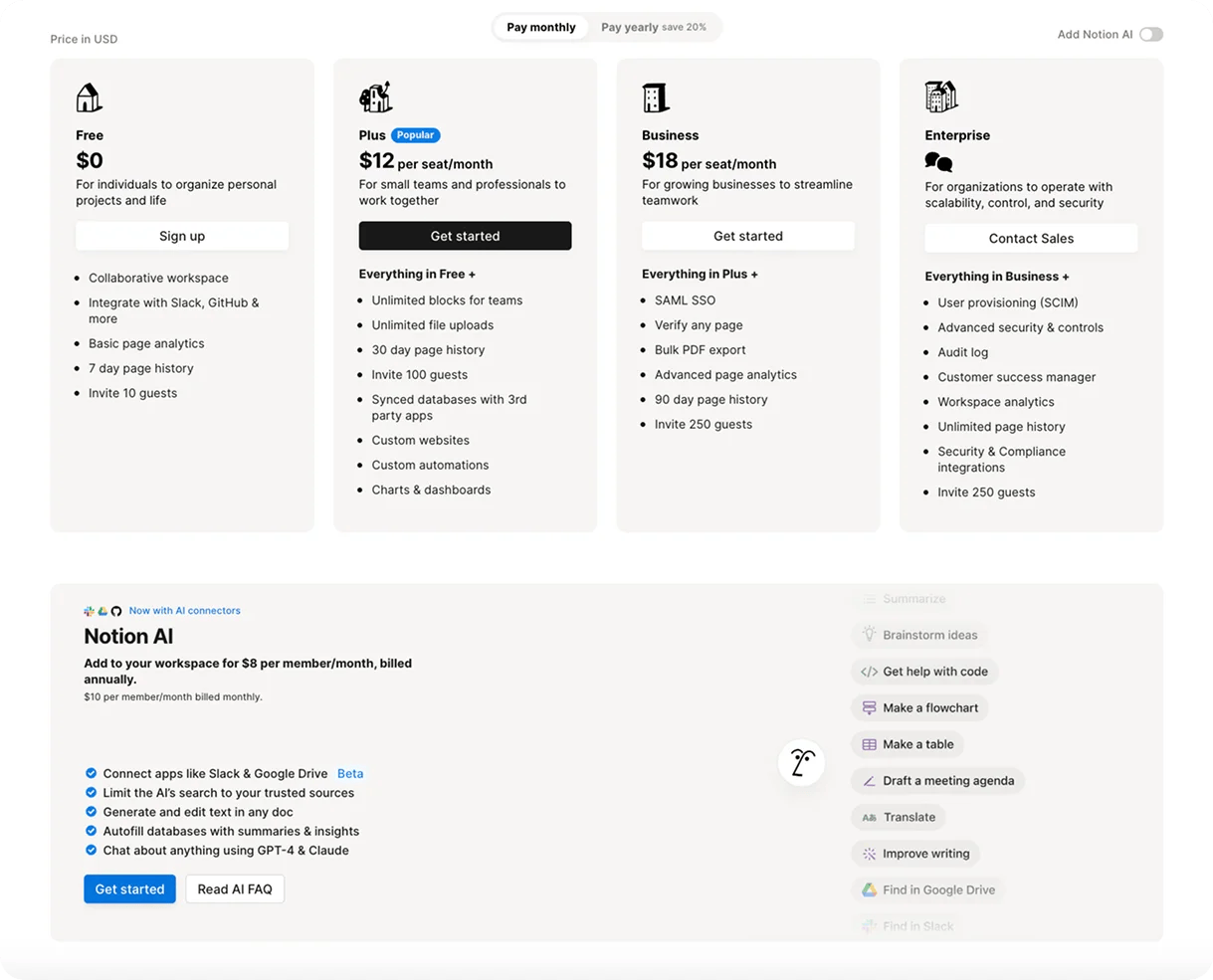
You can’t use Notion AI unless you have a Notion account. Notion AI is an add-on feature that works within the Notion workspace and requires a Notion account to use.
Sign up for a Notion account (free or paid) and then activate the AI features.
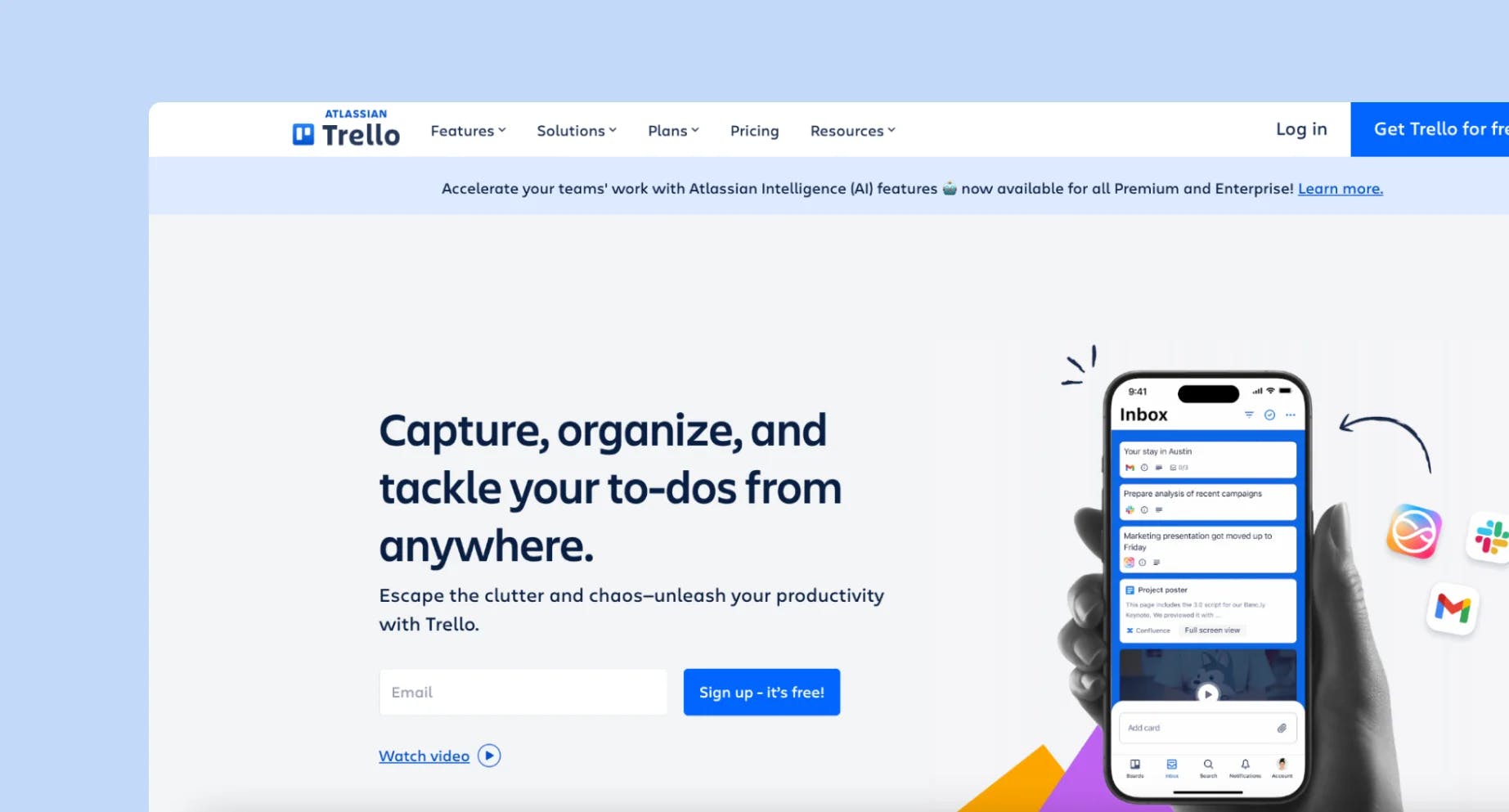
Trello is a project management tool that helps you to organise tasks, workflows, and projects using a visual Kanban-style method.
⭐ Inbox - Capture every information from emails and Slack straight into your Trello inbox. ⭐ Organisation - Handle quickly and easily by marking them "Done" directly from your Inbox. Drag & drop captured things into the appropriate boards to effortlessly organise your workflow.
⭐ Planner - Sync your calendar and assign targeted time slots.
⭐ Scheduling - Schedule tasks and events from Google Calendar and Outlook.
⭐ Automation - Set a trigger and the actions to be taken, then let Butler run the action.
⭐ Automation tips - Track your repetitive actions and get suggestions on which action to automate next.
Why?
💡 Small Teams and Startups
Why?
💡 Remote Teams
Why?
💡 Agencies
Why?
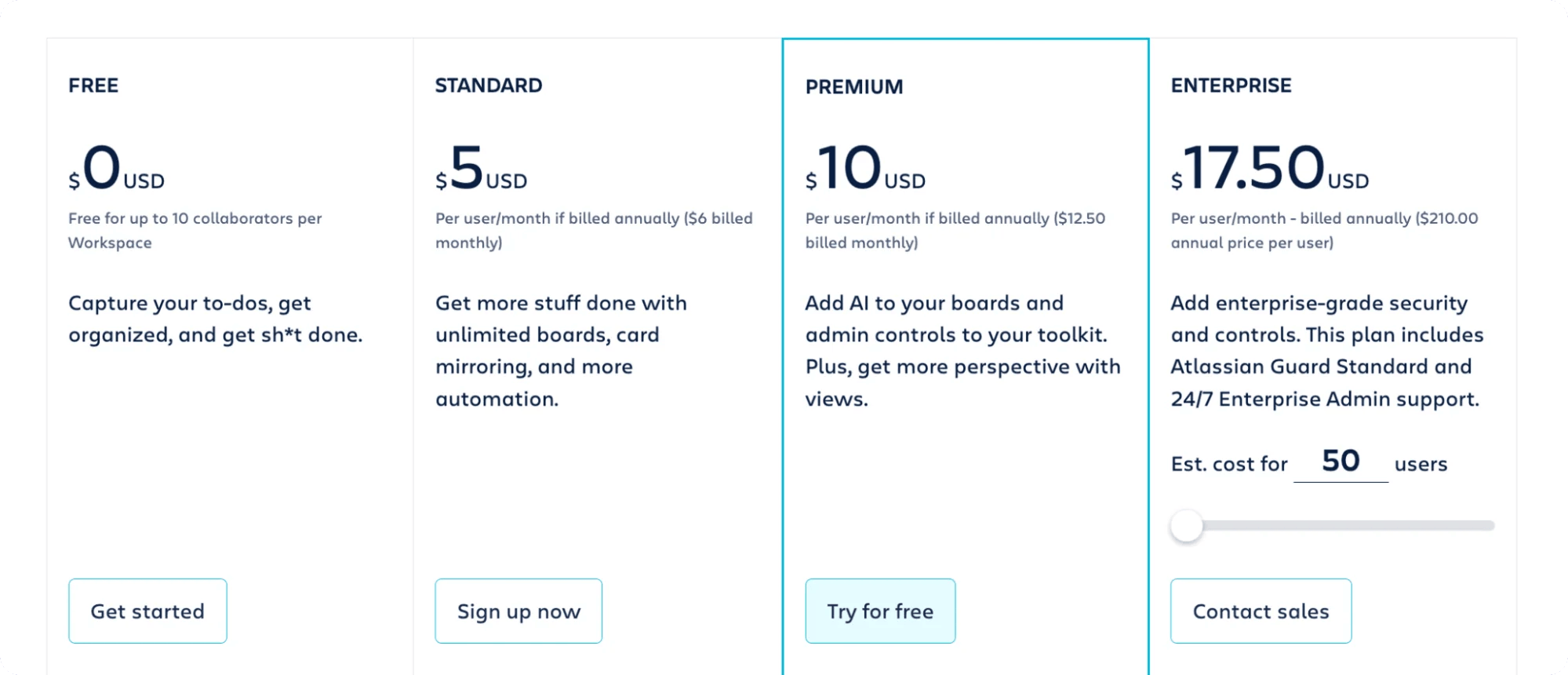
You can use it for free or choose one of the paid plans.
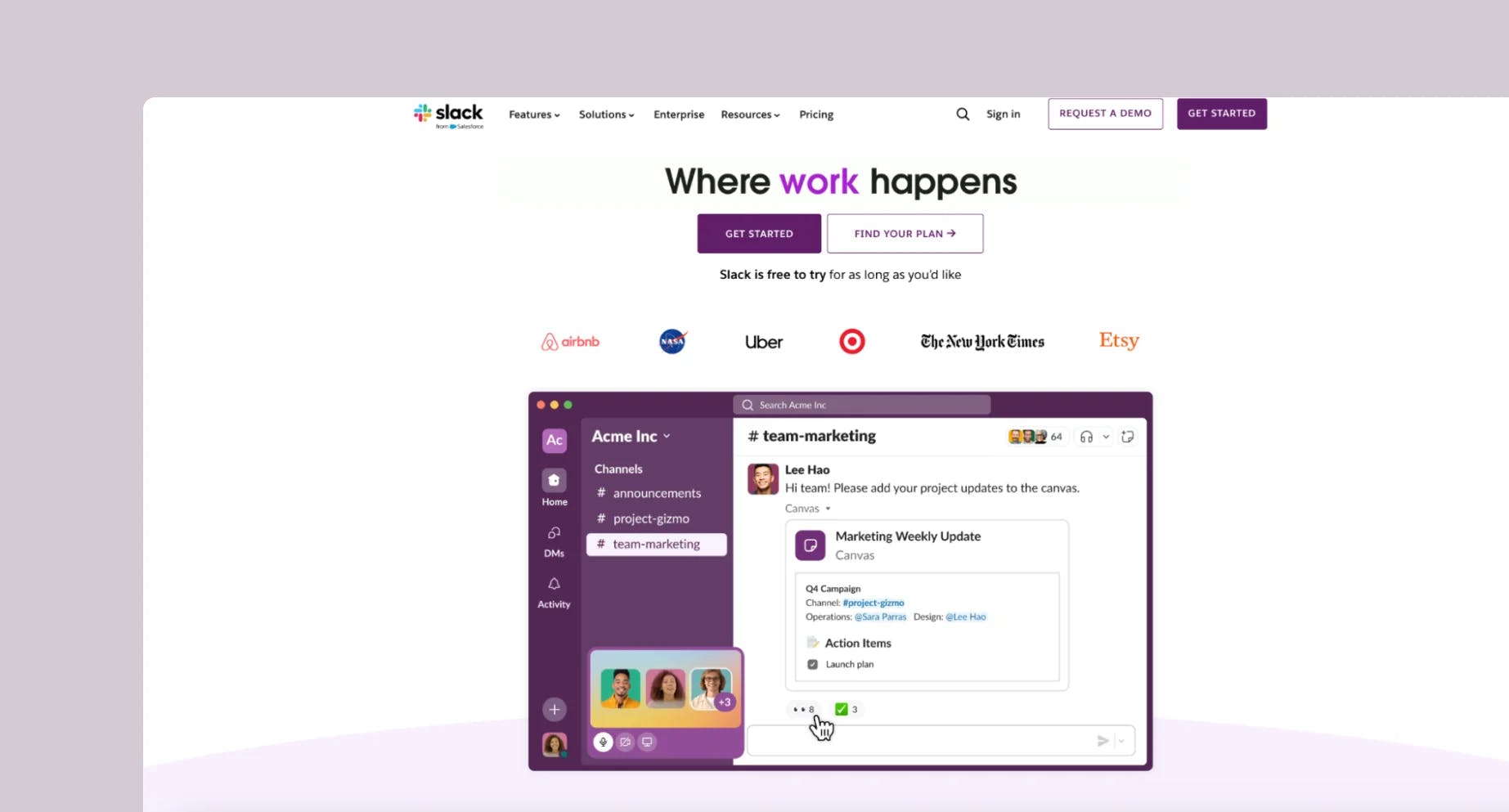
Slack is a communication and collaboration tool that improves team efficiency and productivity. It replaces traditional email with organised channels, allowing for faster and more secure communication.
⭐ Channels - Discuss projects, share files, and even automate tasks.
⭐ Slack Connect - Work with people outside your company directly from Slack.
⭐ AI recaps - Get daily channel recaps, stay in the loop with summaries, and focus on your most important projects.
⭐ Salesforce Channels - Get a detailed view of your customers.
⭐ Messaging - Use voice, video or text for your messages.
⭐ Huddles - Instantly connect via audio or video and share screens to get more done.
⭐ Clips - Watch or create clips and update your team or make announcements
⭐ Search - Easily find and contribute to shared knowledge.
⭐ Lists - Manage projects and tasks directly from Slack using lists.
⭐ Canvas - Craft nice and flexible docs.
💡 Remote Teams
Why?
💡 Project Teams
Why?
💡 Startups
Why?
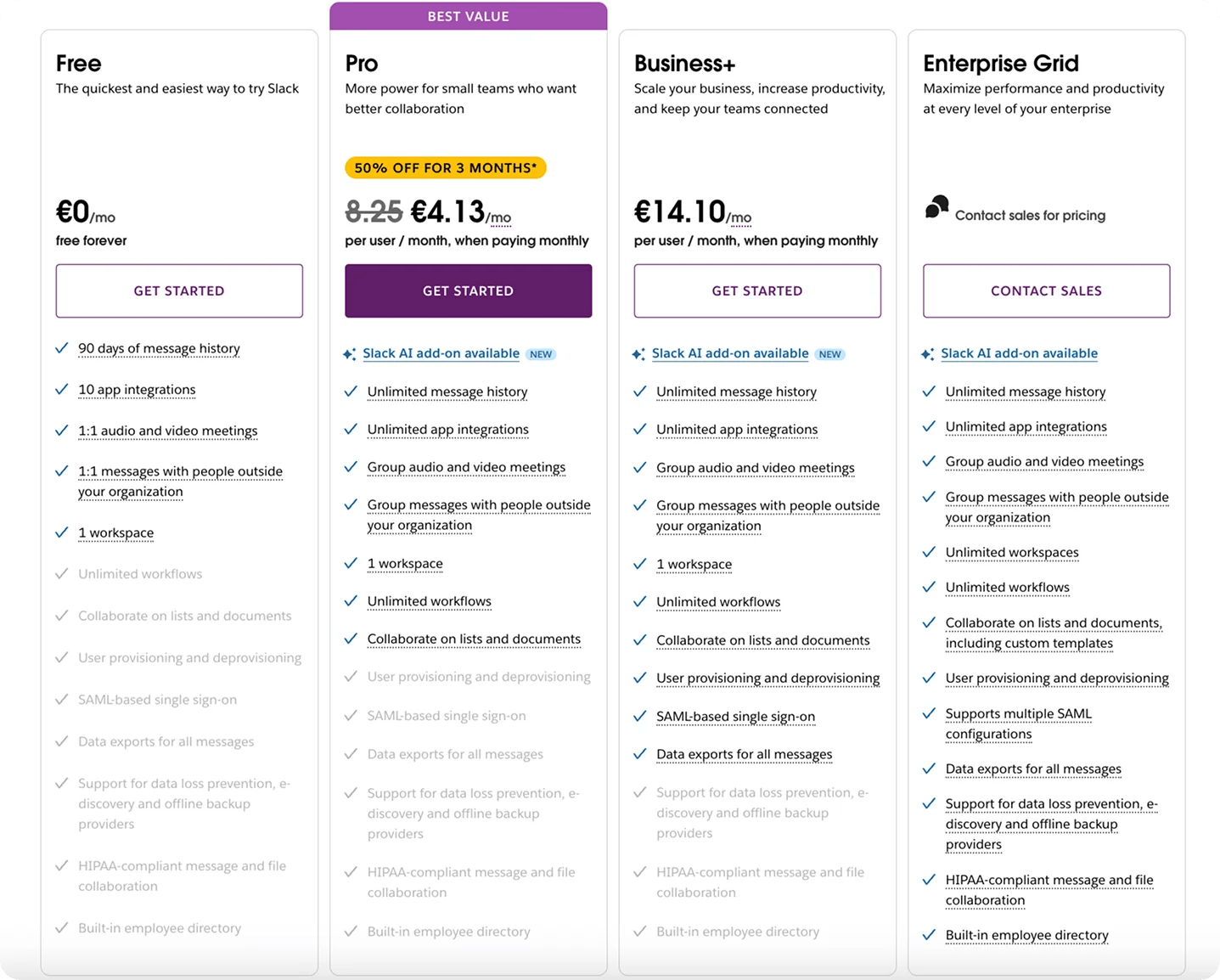
Use it for free, or pick some of the paid plans.
If you want to use an enterprise plan, you have to contact their team.
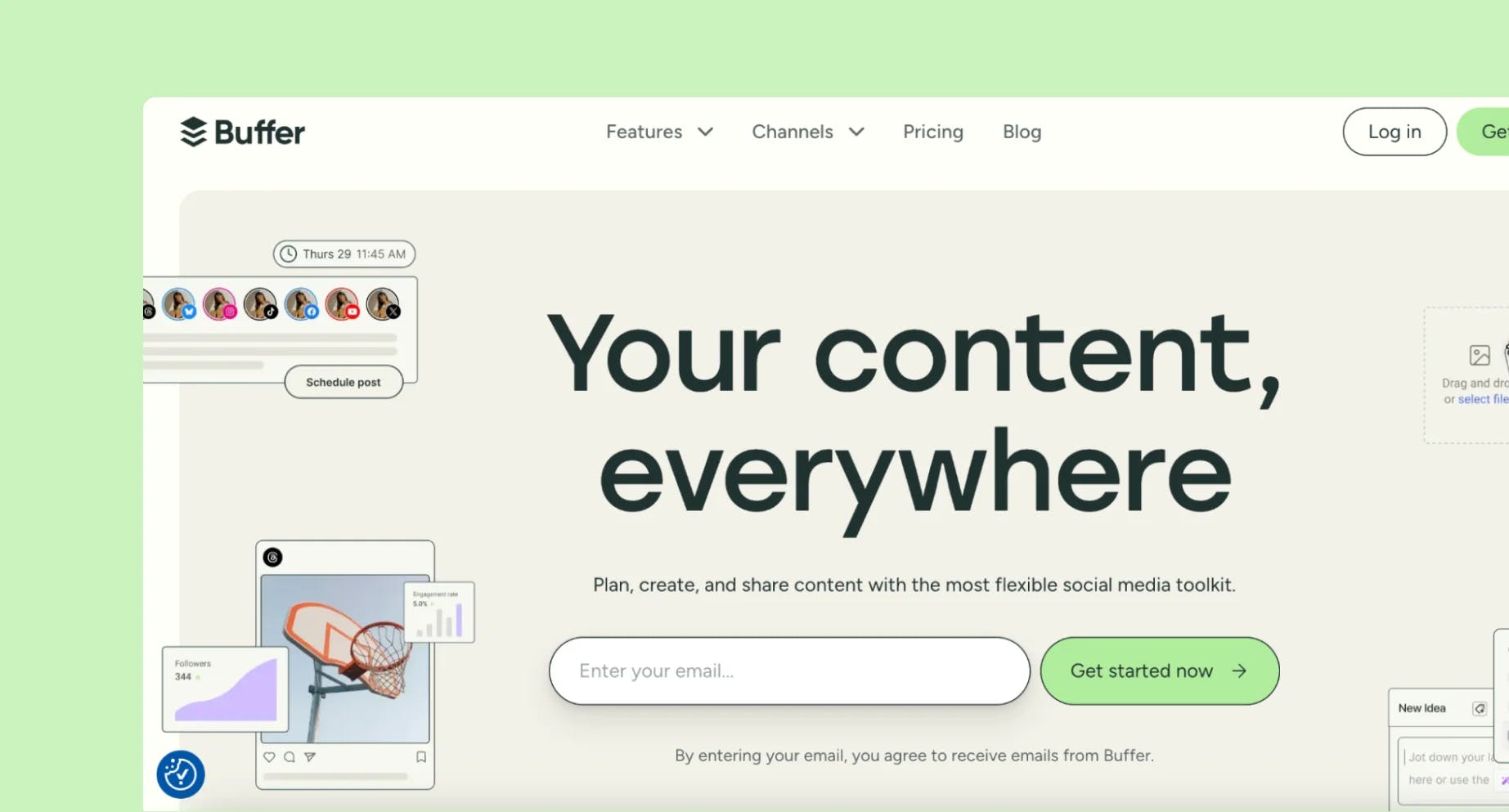
Buffer is a social media management tool that helps individuals, businesses, and agencies streamline their activity. It provides a set of tools for planning, creating, scheduling, publishing, and analysing content across several social media channels from a single dashboard.
⭐ Create - Create your library of content ideas. ⭐ Organize Your Content - Sort your future posts into easily accessible categories.
⭐ Import - Import photos from Google, Dropbox, or Canva. ⭐ Analyse - Discover which post types work best, who engages, and when to post.
⭐ Reports - Create and download reports.
⭐ Updates - Set up your reports once, and they will be updated every day.
⭐ Collaboration - Share feedback, add notes, or invite collaborators, and provide appropriate permissions so that everyone may contribute.
⭐ Publish - Create a posting schedule based on the optimal times to post for each platform.
⭐ Engage - View all of your unanswered comments in one handy dashboard. Buffer will prioritise the most critical ones for you.
💡 Small Business Owners
Why?
💡 Content Creators and Influencers
Why?
💡 Marketing Teams
Why?
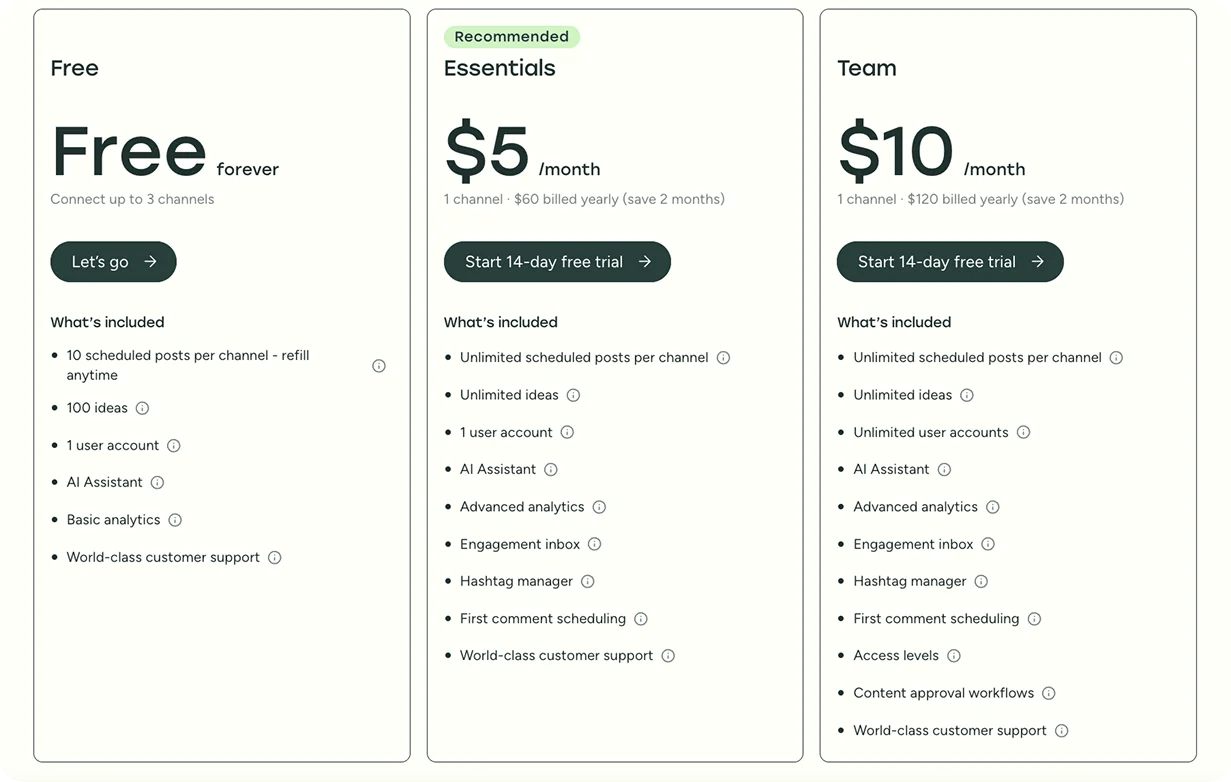
Choose between a free account or two paid tiers.
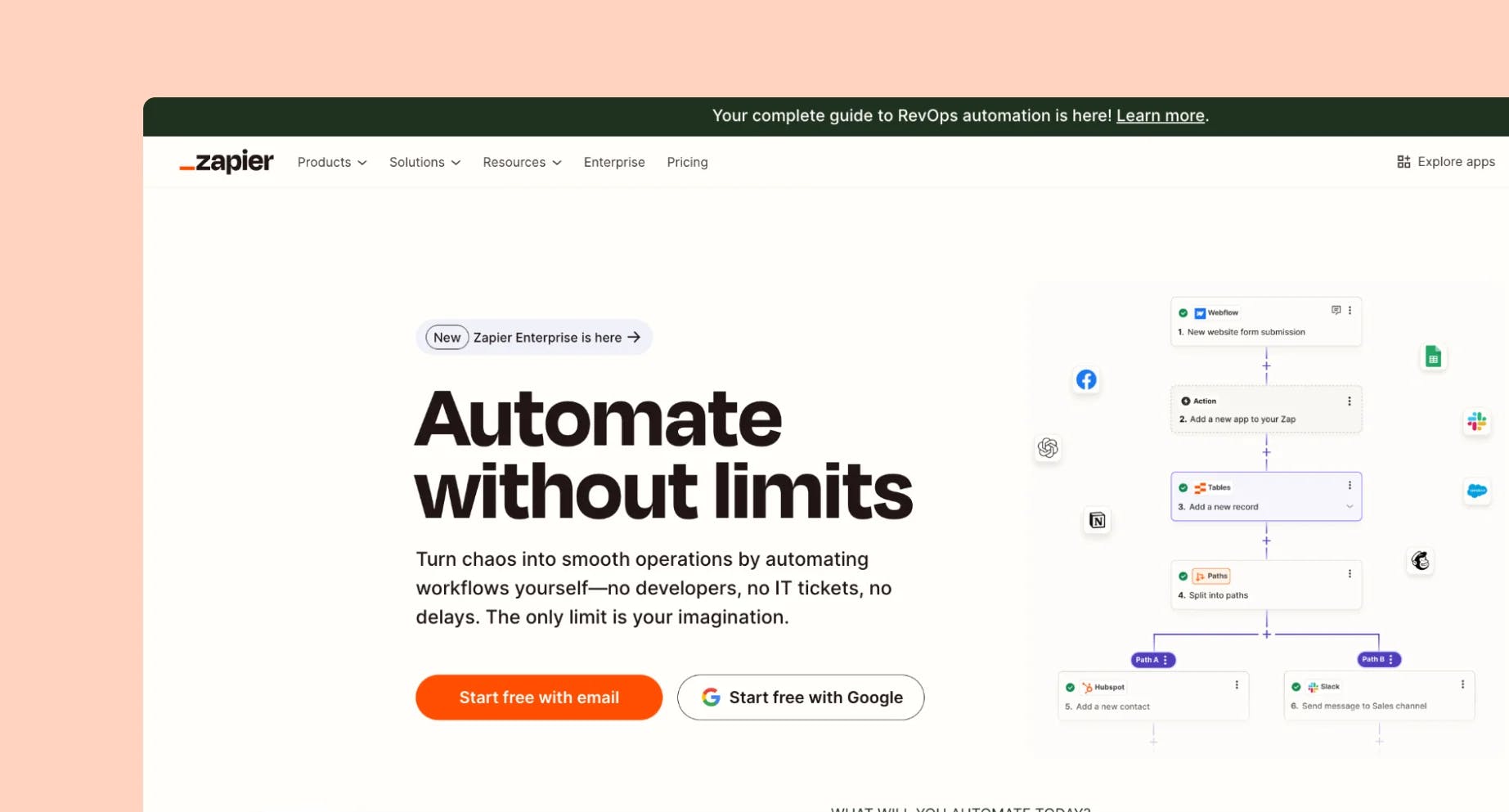
Zapier is an automation tool that connects over 7,000 applications.
By establishing "Zaps," you can automate sequences in which a trigger in one app triggers an action in another, reducing repetitive activities and increasing productivity.
Key Features
⭐ Tables - Create spreadsheets to automatically trigger workflows when new information arrives.
⭐ Interfaces - Create visual interfaces (like client portals or dashboards) to help your team manage automated processes.
⭐ Control your flow - Use filters to select whether or not your workflow runs. ⭐ Modify data - Add a Formatter step to turn dates, currency, text, and more into your desired format.
⭐ Conditional Paths - Add paths to execute various tasks based on “if/then” logic.
⭐ Chatbots - Create and automate customer conversations in minutes. Create unique AI chatbots to answer queries, fix issues, and nurture leads.
⭐ Canvas - Make a diagram for each step of your workflow.
💡 Small Business Owners
Why?
💡 Marketing Teams
Why?
💡 Sales Teams & CRM Users
Why?
💡 Customer Support Teams
Why?
💡 Freelancers
Why?
💡 E-commerce & Shopify Store Owners
Why?
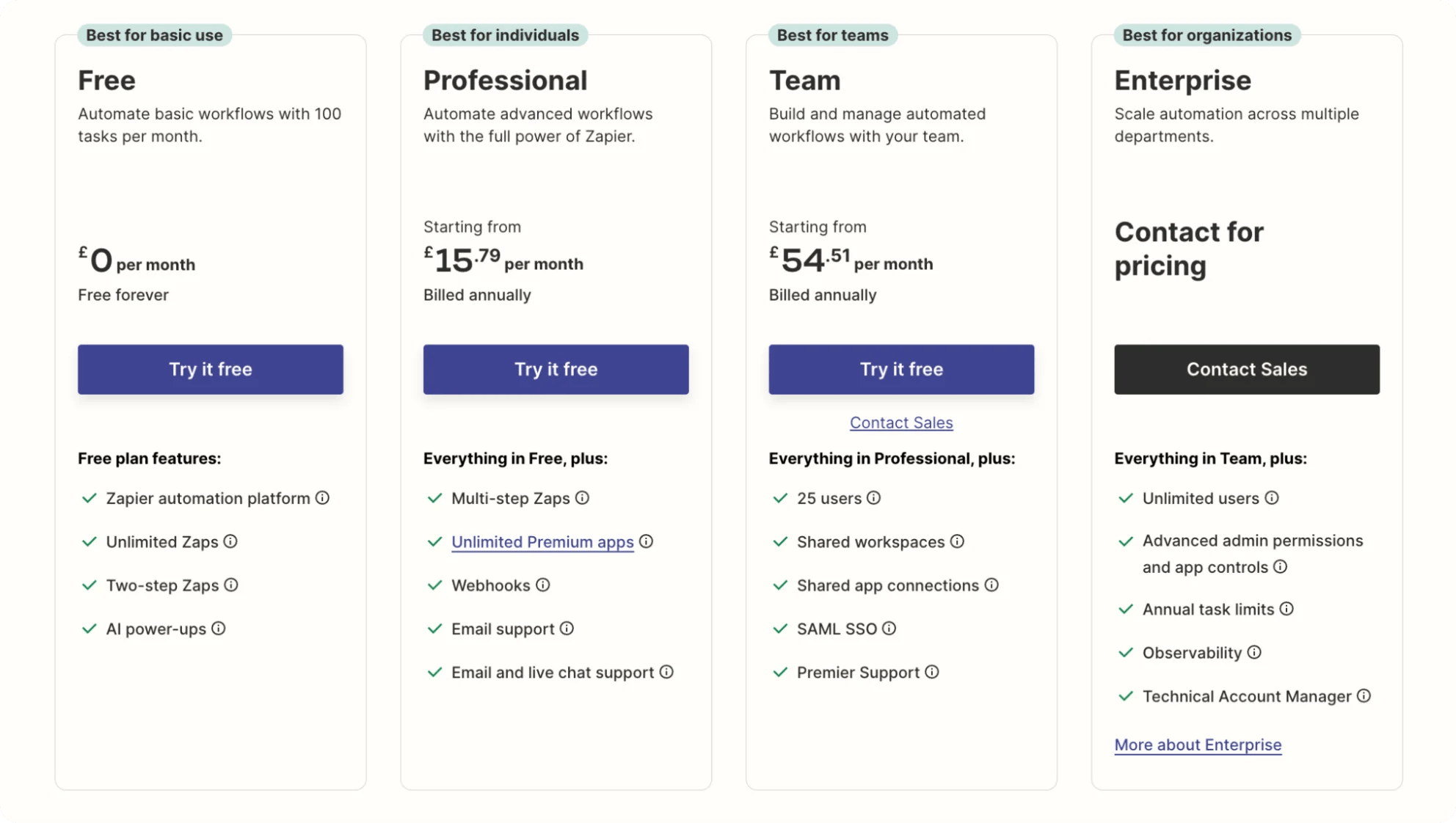
Before choosing a plan you can select how many tasks you plan to use per month and the price for plans will change accordingly.
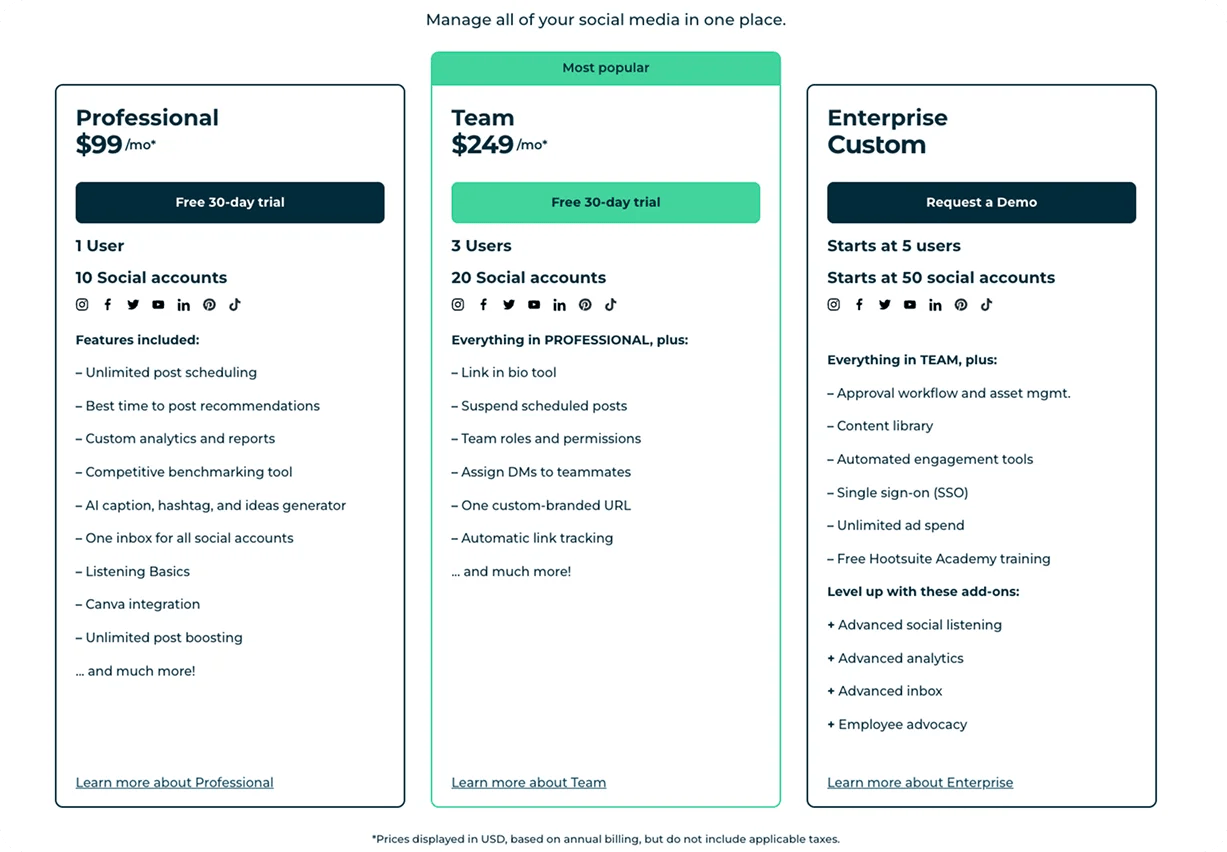
Hootsuite is a social media management tool that allows businesses to manage social media presence from a single dashboard.
Key Features
⭐ Publish and Schedule - Easily develop, plan, and publish content across all of your channels from a single dashboard.
⭐ Social Media Analytics - See what works, modify what doesn't, and achieve results.
⭐ Social Listening - Increase engagement, develop more effective social content, and improve your chances of going viral with AI-powered social listening.
⭐ AI Content Creation - Instantly generate captions and post ideas for any network.
⭐ Best Times to Post - Analyse your brand's audience data and get recommendations on when to post for maximum impact across all platforms.
⭐ Engagement Tools - Interact with your followers, fans, and friends from a single dashboard.
⭐ Inbox Management - Respond to messages, comments, and customer support enquiries in one spot.
⭐ Employee Advocacy - Make it simple for your staff to share your content, significantly increasing your social reach.
⭐ Advertising - Manage both paid and organic content in one single dashboard to get the most out of your advertising spend. Launch, track, optimise, and report on all campaigns.
💡 Social Media Managers and Marketing Teams
Why?
💡 Small Business
Why?
💡 Content Creators and Influencers
Why?
💡 Agencies
Why?
There is no free plan, but you can try any of the plans for free for 30 days.
Running a small business means juggling a lot – tight budgets, limited time, and doing the work of an entire team.
That’s where these AI tools shine.
Each one helps you work smarter, not harder – streamlining your processes, saving you money, and giving you room to grow without hiring extra hands.
And if you need additional inspo, check out 16 Best Tools For Small Businesses in 2025!
Now, here is an overview of these 8 AI tools so you can make decisions when it comes to that!
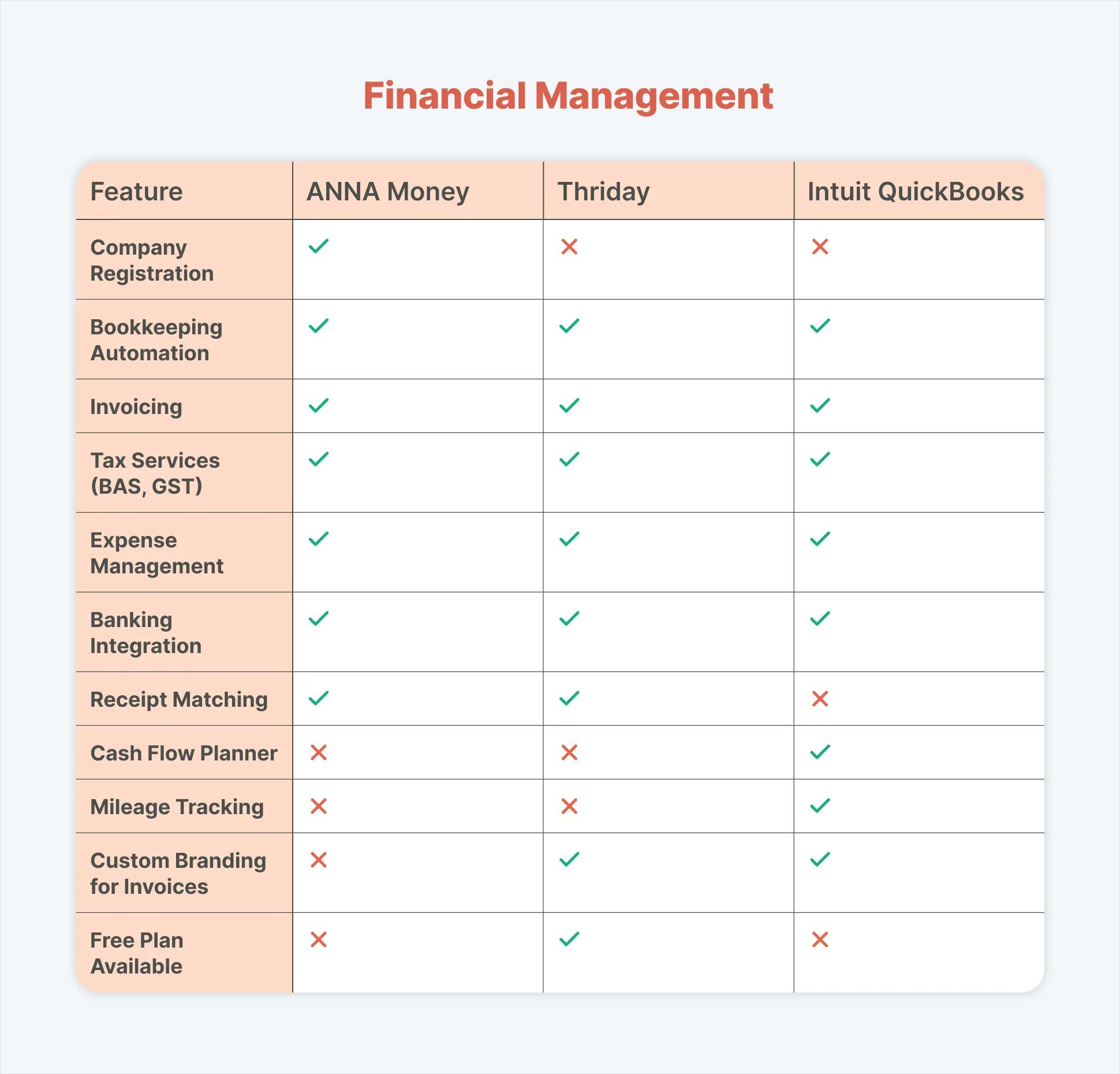
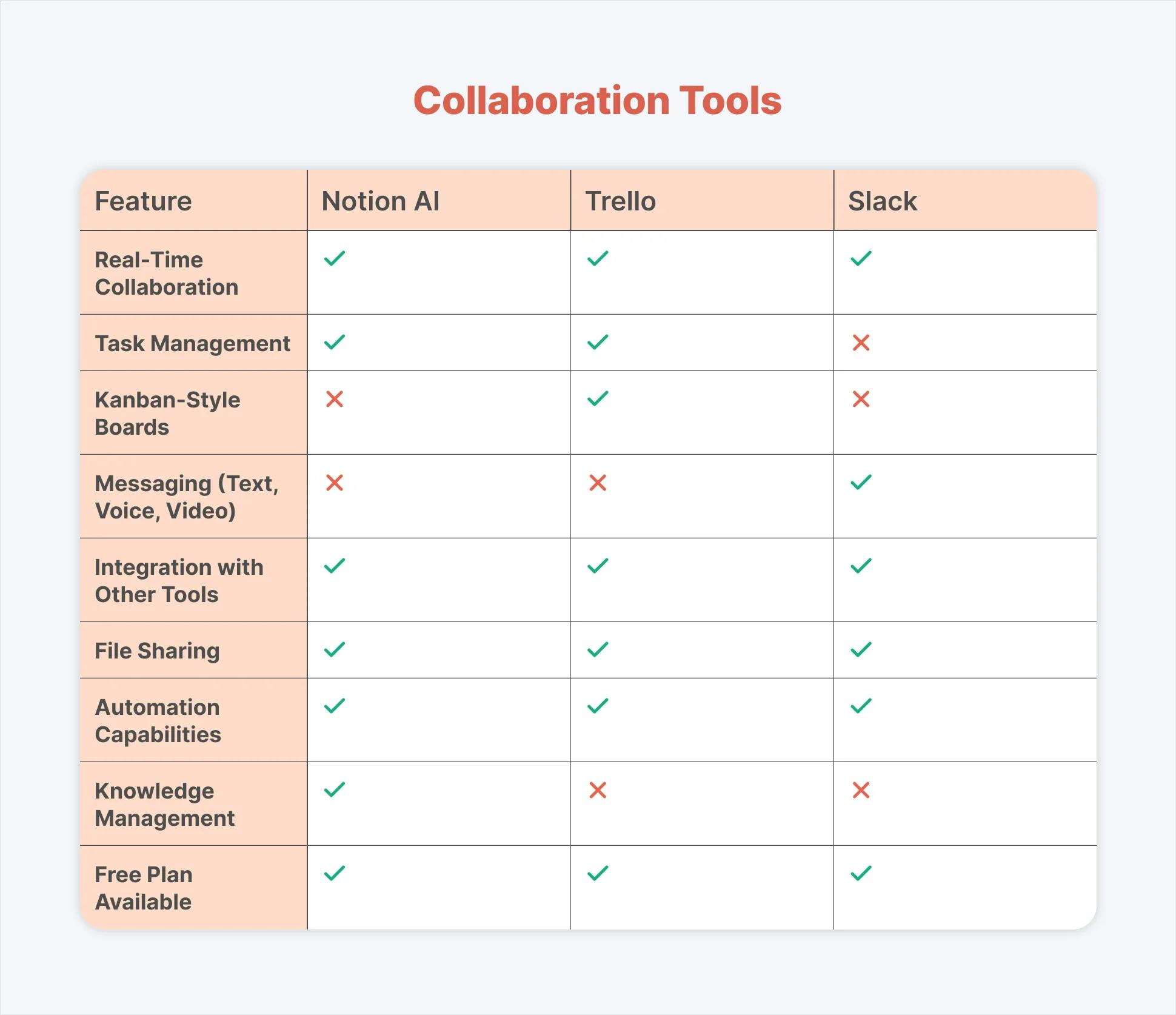
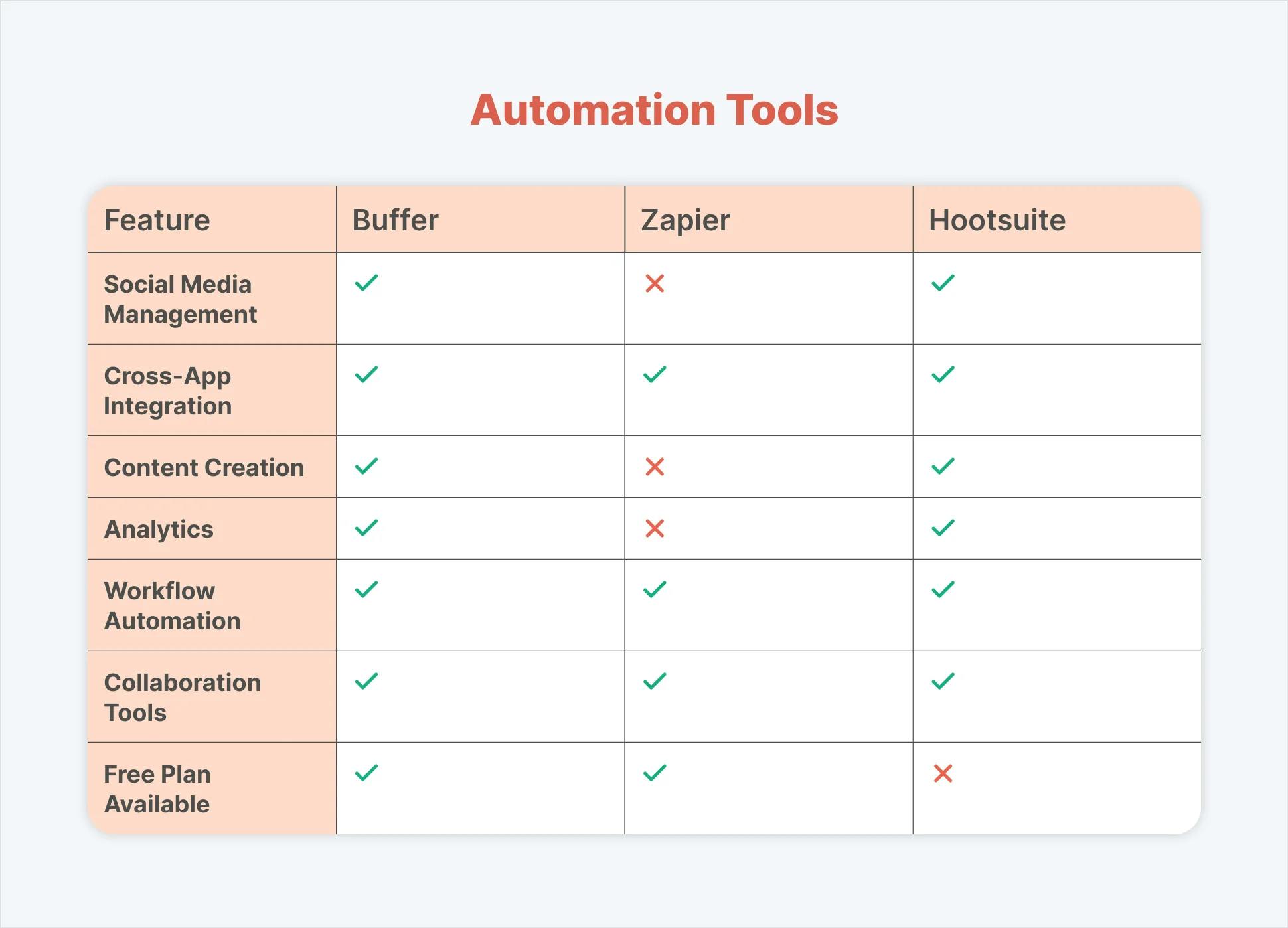
When it comes to managing finances and business, ANNA Money should be your number one choice. Why?
Because:
All you have to do is create an ANNA account. So what are you waiting for?
Sign up today and get your finances in order!
Register a business with ANNA and sign up for free - ANNA covers the incorporation fee for you
Register a business today
.svg)