
Discover the steps to easily update your ABN details. Follow our guide for keeping your Australian Business Number information accurate and current.

The Australian Business Number (ABN), an essential 11-digit identifier, is a cornerstone for any business operating in Australia.
It is required for activities like invoicing, registering for GST, and conducting business transactions.
Therefore, keeping your ABN details up-to-date is necessary for maintaining accurate records and complying with legal requirements.
If your business details change, this article will help you update your ABN information promptly in just a few steps.
Let's dive!
Keeping your ABN details current is crucial for several reasons:
✔️ Authorized Permissions – Ensures the right people have permission to act on behalf of your business.
✔️ Accurate Government Records – Keeps government agencies informed with up-to-date information for emergency contact and assistance.
✔️ Access to New Services – Prepares your business for new government services as they become available.
✔️ Reflecting Business Activities – Ensures your ABN accurately reflects the range of business activities you undertake.
Maintaining updated ABN details allows you to take advantage of improvements and new features in ABR online services, facilitating better business management and support from various agencies.
Let’s dive into the key aspects to consider:
👉 Accuracy – Regularly verify and update your contact information to avoid missed communications.
👉 Authorizations – Ensure that the right people are listed to act on behalf of the business, especially when there are changes in personnel.
👉 Business Activities – Update the details to reflect any new business activities or changes in operations.
👉 Emergency Preparedness – Ensure your information is current so that you can receive timely assistance in case of emergencies.
By keeping your ABN details accurate and up-to-date, you enhance your business’s credibility and readiness to interact with various government services effectively.
To quickly update your ABN details, use ABR online services. Here's how:
The ABR allows you to update information about eligible associates, such as:
Here’s how to get started:
1. Visit the ABR Website – Start by visiting the Australian Business Register (ABR) website to access the relevant sections for ABN updates.
2. Navigate to Update Section – Once on the ABR website, locate the section specifically for updating ABN details. This ensures you can make necessary changes efficiently.
Ensuring secure access to your ABR account helps maintain the integrity of your business information.
By using myGovID linked to the ABN in Relationship Authorisation Manager (RAM), you guarantee that only authorized individuals can update your details.
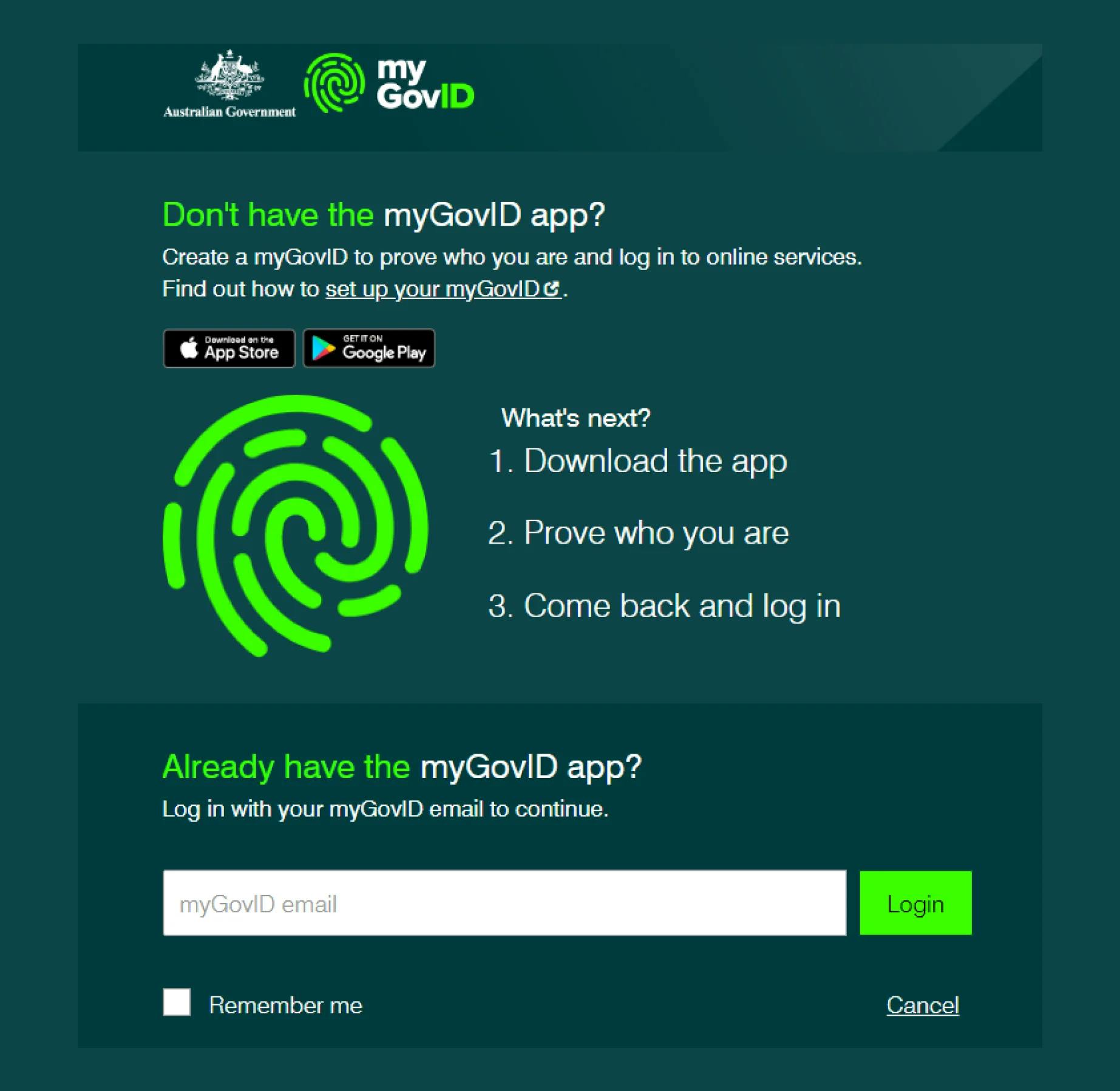
Once you click on the “Update your ABN” option from the ABR website, you’ll be transferred to the myGovID page.
Here’s how to log in effectively:
1. Enter Email Address – Input the email address used to set up your myGovID. A code will be generated.
2. Open myGovID App – On your smart device, open the myGovID app. Log in and enter the four-digit code that appears on the login screen into the pop-up box within the app.
Tap "Accept."
After logging in, you’ll see an ABN summary that provides a snapshot of your business information, such as:
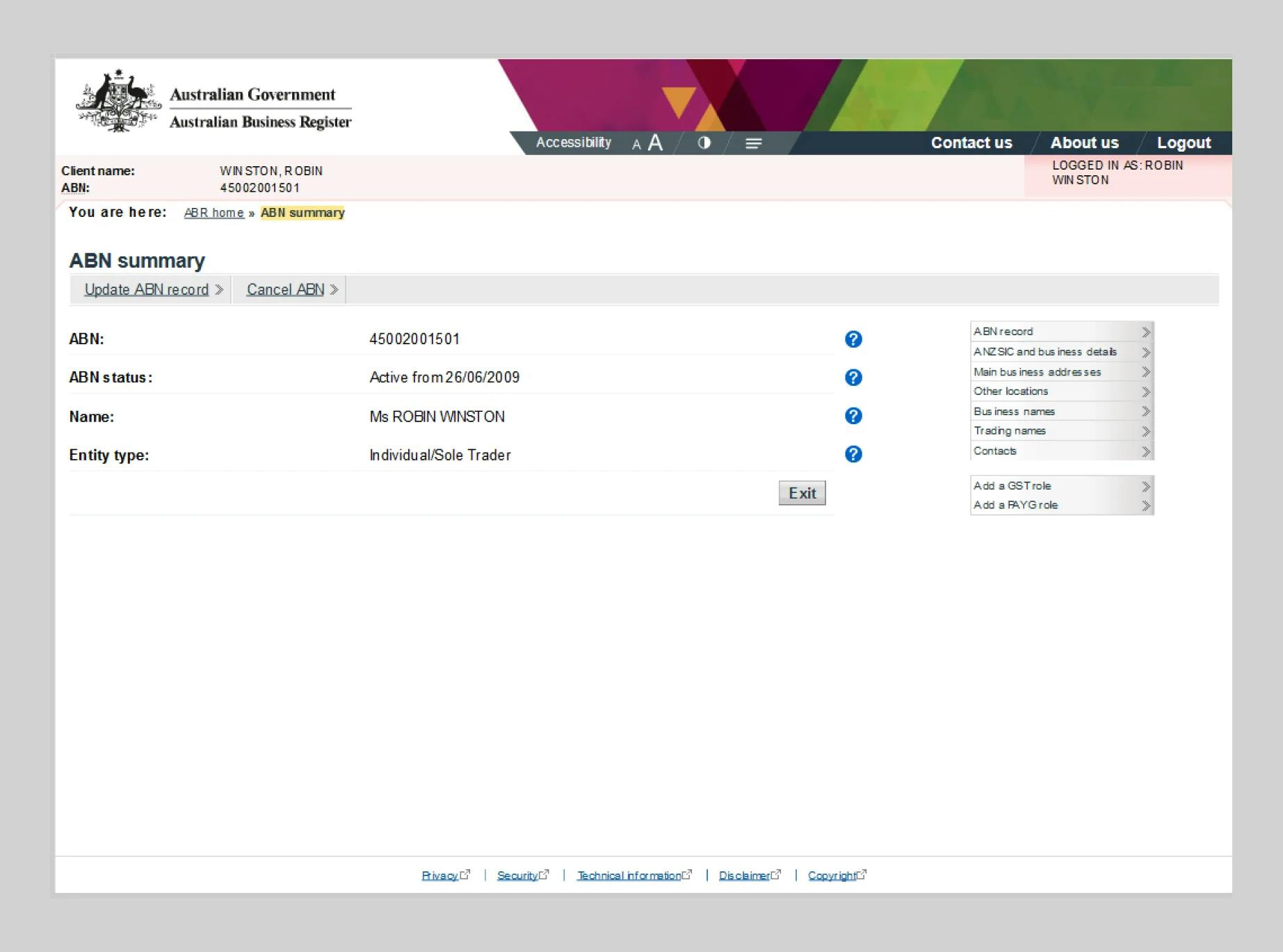
On the right side of the ABN summary window, you’ll find a menu with options such as:
Depending on what needs updating, select the suitable section from the menu.
To start updating your ABN details, first decide what needs updating. This could include your business name, address, or contact information:
Even if your business address hasn't changed since you registered for an ABN, it's important to confirm that ABR has the correct location listed in the register.
Your main business address should be a physical street address, not a post office box or your tax/BAS agent’s address.
However, you can still use a different postal address for receiving communications.
If your business operates from multiple locations, ensure these addresses are updated, too.

You can register up to 4 additional business activities along with their respective Australian and New Zealand Standard Industrial Classification (ANZSIC) codes.
For example, if you run a fitness center, your main activity might be Sports and Physical Recreation Instruction (8211).
If you also offer a health cafe, massage services, and a retail shop, you can add the following ANZSIC codes:
Steps to Add Business Activities:
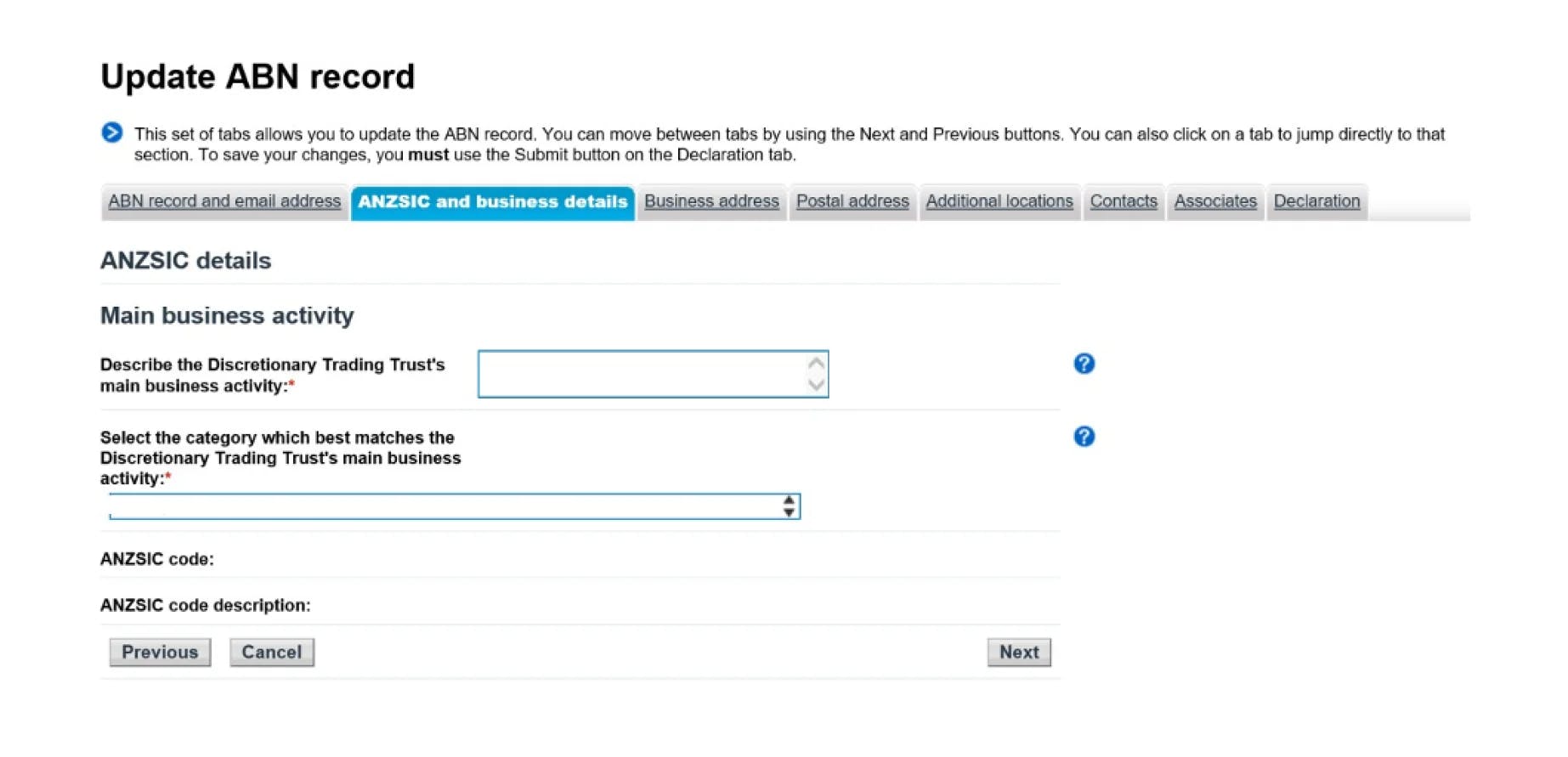
1. Use your myGovID and select “Update ABN record.”
2. Select ANZSIC and Business Details option.
3. Provide a short description of your business activity to find the best match.
4. Select the Category from the drop-down menu.
5. Based on your selection, the ANZSIC code and ANZSIC code description will be auto-updated.
6. To add more activities, repeat these steps from step 2.
Once you have made all necessary changes, it’s time to review and submit them.
First, it is important to double-check all the updated information.
Accuracy at this stage ensures that there are no errors that could affect your business operations.
Finally, submit the changes through the ABR portal. This action finalizes your updates and ensures your business information is up-to-date.
Follow these steps to submit changes to your ABN details:
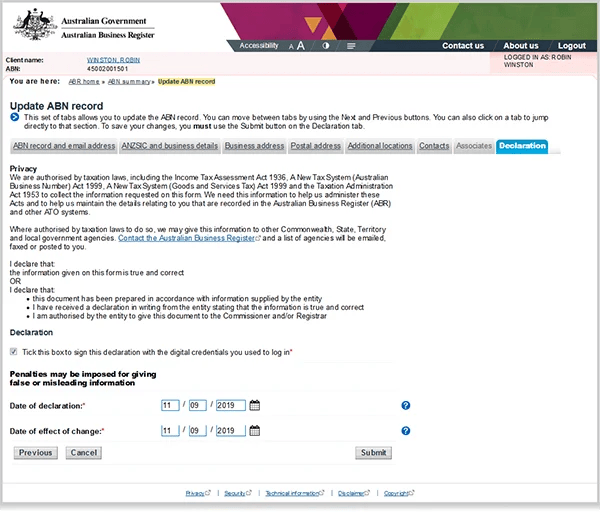
1. Select Declaration — After making changes, go to the declaration section.
2. Accept the Declaration — Tick the box to confirm that you accept the declaration.
If you can’t access ABR online services, there are alternative methods to update your information.
👉 Contact ABR: Reach out directly for assistance.
👉 Tax Professional: Ask your tax professional to update your details.
👉 Mail a Form: Complete and mail a form to the relevant authorities.
For changes considering business or legal names, please follow these instructions:
👉 Business or Legal Names of Sole Traders: Call the ATO on 13 28 66.
👉 Legal Names of Companies: Visit the ASIC website.
👉 Legal Names of Not-for-Profit Organisations and Charities: Visit the ACNC website.
Keeping your ABN details updated is also essential to avoid penalties and maintain your business’s credibility.
Here are some key points to consider when updating your ABN details.
Every day, businesses access ABN Lookup to verify information.
If your details are outdated, they may choose not to engage with you, potentially harming your business relationships.
To avoid this, make sure to update your details within 28 days after your changes took place.
Experiencing login issues with myGovID can be frustrating, but there are several troubleshooting tips you can try:
If these steps don't resolve the issue, contact ATO directly for further assistance.
Encountering errors while updating your ABN details can be challenging.
Here are some common myGovID error codes and their descriptions:
These errors generally involve issues with identity verification, network connectivity, or account information mismatches.
For more detailed information and additional support, visit the myGovID help page here.
By now, you understand the critical importance of keeping your ABN details up to date.
Let's reflect on something equally beneficial for business owners and sole traders:
Meet ANNA!
ANNA specializes in financial services for small businesses, focusing on simplifying business registration in Australia.
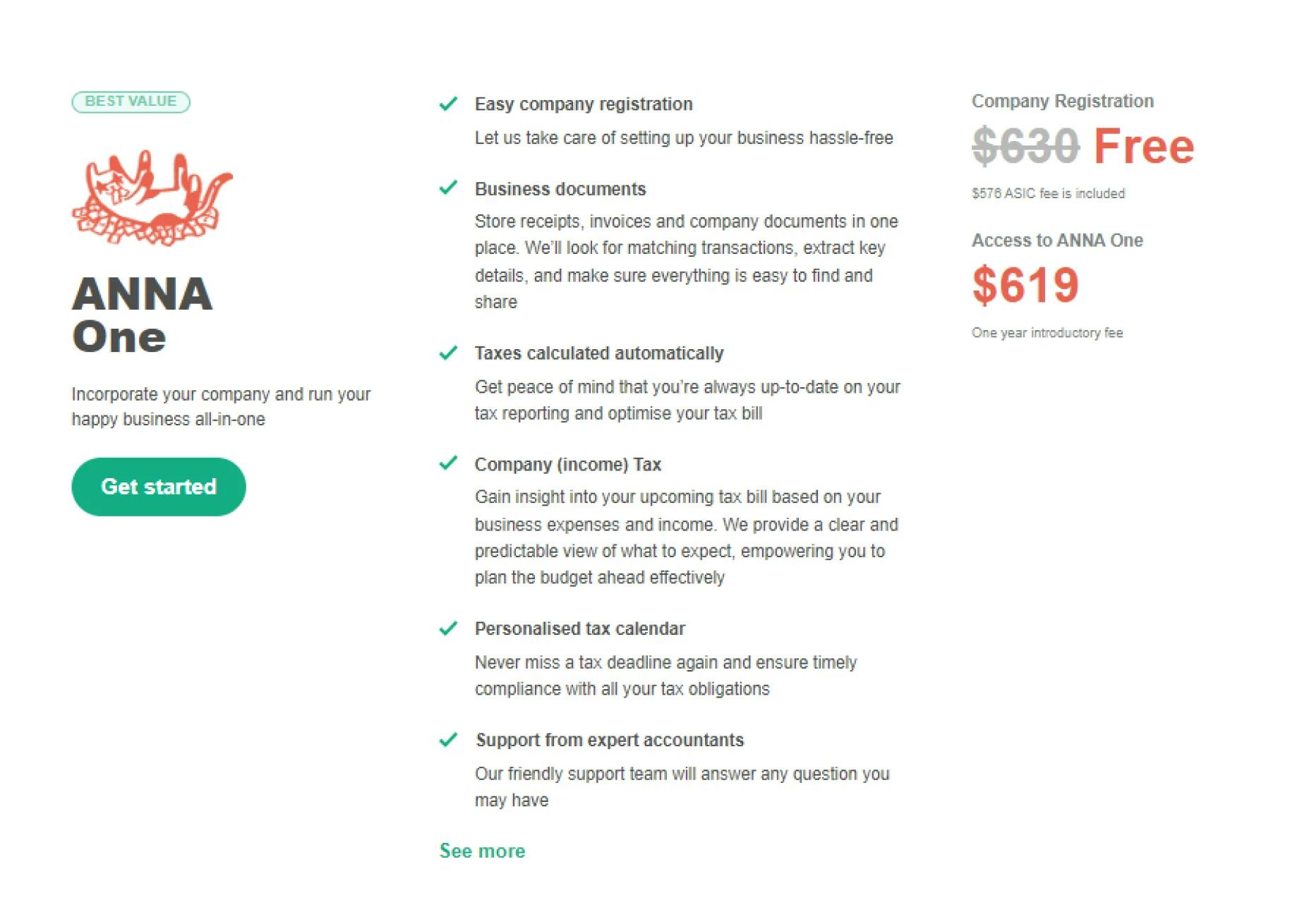
With the ANNA One package, you can seamlessly register your Australian company and open a business bank account in one streamlined process.
We cover the registration cost with ASIC, so it won’t cost you a penny.
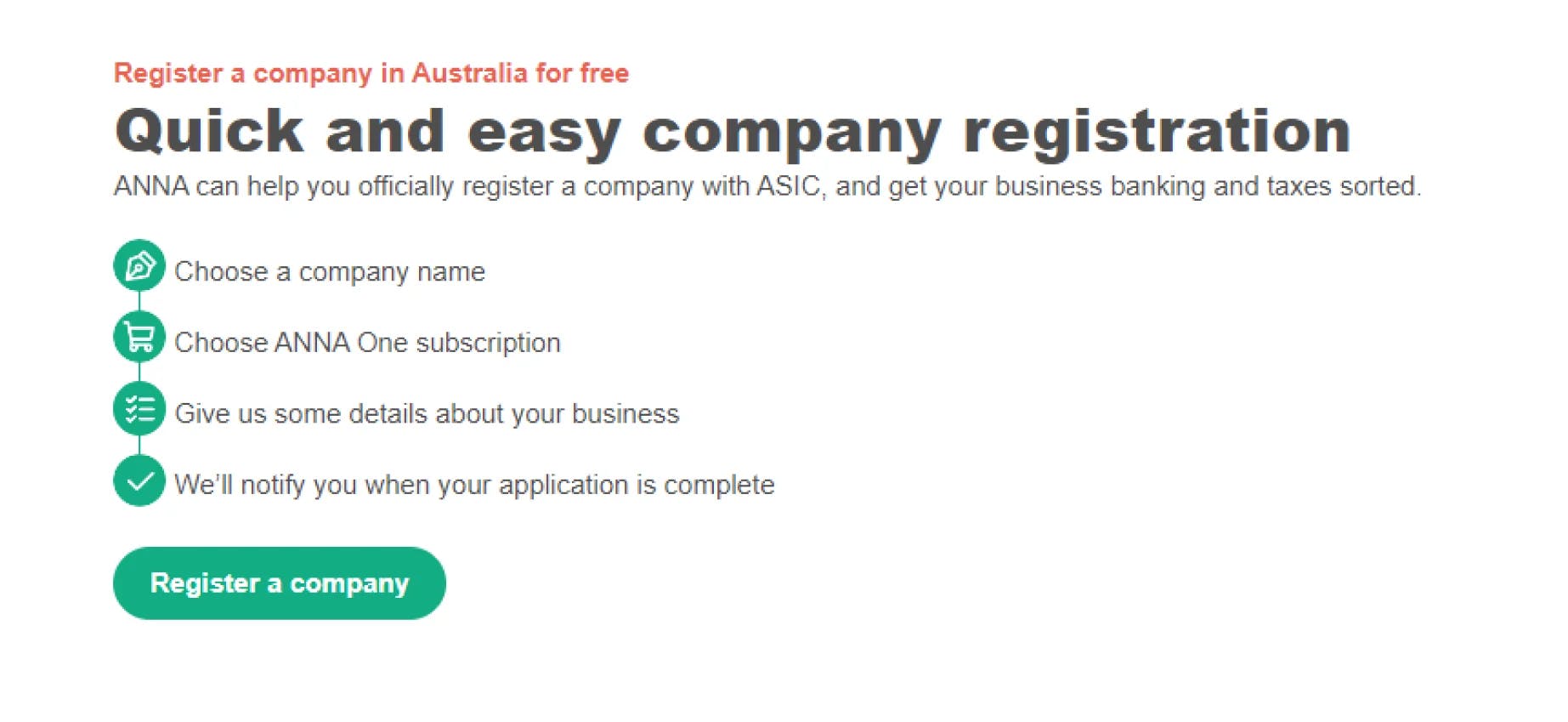
✔️ Easy Business Setup — ANNA takes care of the entire registration process, making it hassle-free and stress-free.
✔️ Business Documents Management — Store and organize all your business documents in one convenient place.
✔️ Comprehensive Business Management — Streamline your operations with efficient financial tools.
✔️ Automated Financial Tools — Manage receipts, invoices, and tax calculations automatically.
✔️ Expert Support — Get access to a dedicated support team for all your business queries and tax needs.
1. Visit ANNA's Website — Explore the various packages ANNA offers.
2. Choose Your Package — Opt for the Easy Company package for a straightforward business setup or the ANNA One package for comprehensive business management.
3. Sign Up — Complete the registration process with your business details.
4. Start Managing — Begin using ANNA's tools to manage your business efficiently.
Ready to simplify your business management?
Sign up for ANNA One today and take control of your business finances effortlessly!
Register a business with ANNA and sign up for free - ANNA covers the incorporation fee for you
Register a business today
.svg)